Paint - 23 Shapes
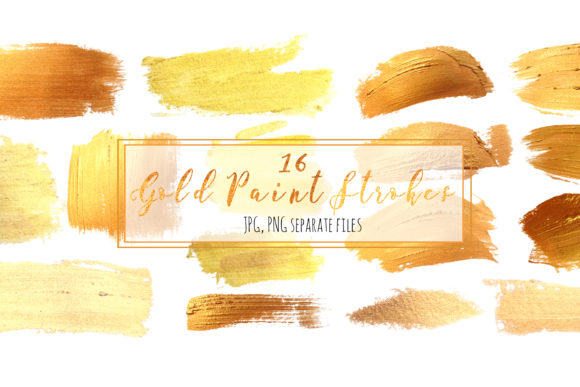
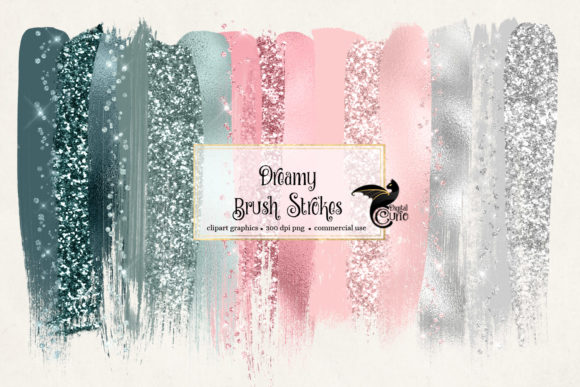
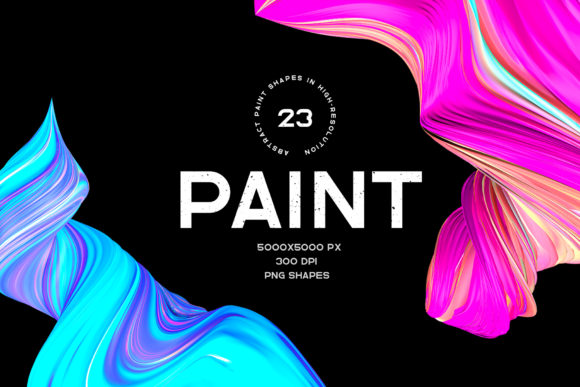
Paint - 23 Shapes is a collection of 23 high-resolution, vibrant, and colorful shapes inspired by the dynamic movement of oil paint. Each shape is crafted with care to capture the essence of brushstrokes, splatters, and fluid transitions that make oil painting so expressive. These digital assets come on a transparent background, making them incredibly versatile for a wide range of design applications. Whether you're working on a website, print material, or digital art, these shapes are designed to integrate seamlessly into your creative workflow.
Why Use Paint - 23 Shapes?
The appeal of Paint - 23 Shapes lies in its ability to add a unique artistic flair to any project. The high resolution (5000x5000px at 300dpi) ensures that these shapes remain crisp and clear whether used in print or online. Their transparent backgrounds mean they can be layered over any color or image without disrupting the visual harmony of the composition.
Designers, artists, and content creators often find themselves in need of elements that stand out while still feeling organic. These shapes offer a solution by blending the spontaneity of hand-painted textures with the precision of digital design tools. They’re not just decorative; they serve as functional components that enhance the visual storytelling of a project.
Real-World Applications
Web Design: Web developers and designers can use these shapes to create engaging headers, buttons, or interactive elements. For instance, a call-to-action button with a subtle paint texture can draw attention more effectively than a flat design. The transparency allows the background to show through, adding depth and dimension to the interface.
Print Media: In print design, these shapes can be used to add a tactile feel to posters, invitations, or packaging. A magazine cover featuring one of these paint-inspired shapes can immediately catch the eye and convey a sense of creativity and energy.
Digital Art: Artists who work digitally can incorporate these shapes into their compositions to simulate the look of oil painting. This is especially useful for those looking to blend traditional techniques with modern tools. The shapes can act as brushes, stencils, or overlays, offering endless possibilities for experimentation.
Marketing Materials: Marketers might use these shapes to create visually striking social media posts, email headers, or promotional banners. The bold colors and dynamic forms can help convey brand personality and attract engagement from audiences.
Who Might Benefit from Paint - 23 Shapes?
Graphic Designers: Those who specialize in branding or advertising will appreciate how easily these shapes can be integrated into logos, advertisements, or presentations. They provide an instant way to inject creativity into otherwise standard designs.
Interior Designers: When designing digital mockups for spaces, these shapes can be used to create visual interest in virtual room layouts. They can represent abstract wall art or decorative elements that reflect a painterly aesthetic.
Content Creators: Bloggers, YouTubers, and influencers can use these shapes to enhance thumbnails, banners, or video intros. They help in creating a cohesive visual identity that stands out in crowded online spaces.
Education: Teachers or educators working in art-related fields can use these shapes as teaching tools. They offer students a way to explore texture, color, and composition in a digital format that’s accessible and easy to manipulate.
Considerations Before Using Paint - 23 Shapes
While Paint - 23 Shapes offers a lot of flexibility, it's important to consider how they fit within the overall design. Overusing them can lead to a cluttered appearance, so it's best to apply them thoughtfully. Also, since they are based on oil paint textures, they may not be suitable for projects requiring a clean, minimalist look.
Another consideration is the file size. At 5000x5000 pixels, each PNG file is large, which means they should be optimized before being used on websites to ensure fast loading times. Tools like compression software or vector-based alternatives might be worth exploring if performance is a concern.
Limitations and Alternatives
One potential limitation is that these shapes are static. If you're looking for animated effects or interactive elements, you may need to combine them with other digital assets or tools. Additionally, while they are great for adding texture, they may not replace the nuanced details of actual oil paintings.
If you're looking for something more customizable, vector-based shapes or brush packs could be a better fit. However, for those seeking a quick and impactful way to add a painterly touch, Paint - 23 Shapes remains an excellent choice.
Whether you're designing a website, creating marketing materials, or experimenting with digital art, Paint - 23 Shapes provides a valuable resource. Their versatility, quality, and ease of use make them a go-to asset for anyone looking to bring a splash of color and creativity into their work.